Project overview
Roblox Horse Life Redesign
This redesign focuses on improving usability and visual clarity within the 1. Store and 2. Stables interfaces. The goal was to reduce confusion, streamline navigation, and create a more intuitive and visually cohesive experience.
Services
Game UI/UX
Year
March 2026
Tools
Photoshop
Illustrator
Chat GPT
1. Store Screens Redesign
Problem
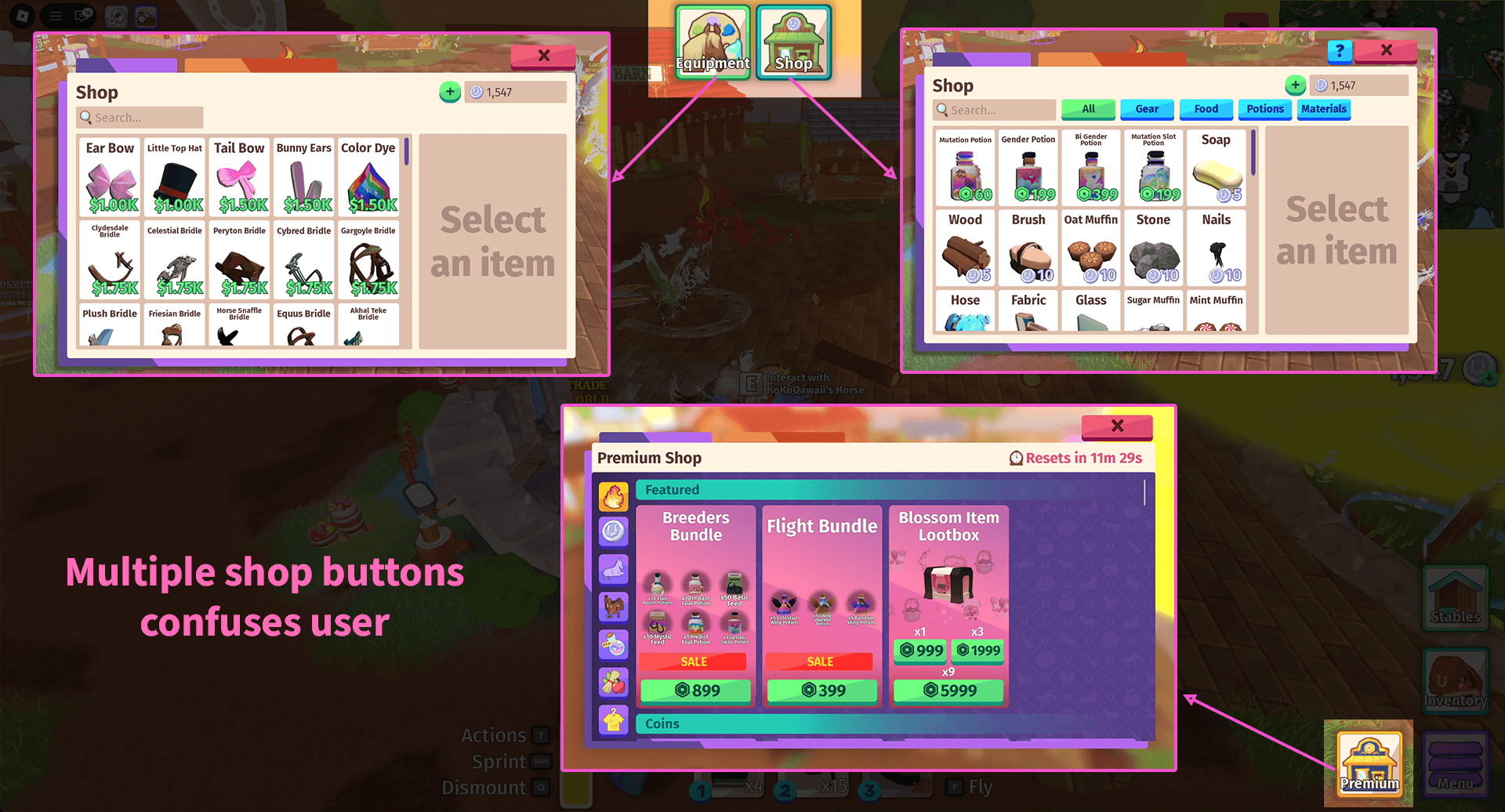
The Store experience was fragmented across three separate entry points: Store, Equipment, and Premium Shop.
Solution
I consolidated these three sections into a single unified Store card. Within this card, I introduced a tab-based navigation system that allows users to seamlessly switch between Store, Equipment, and Premium categories.
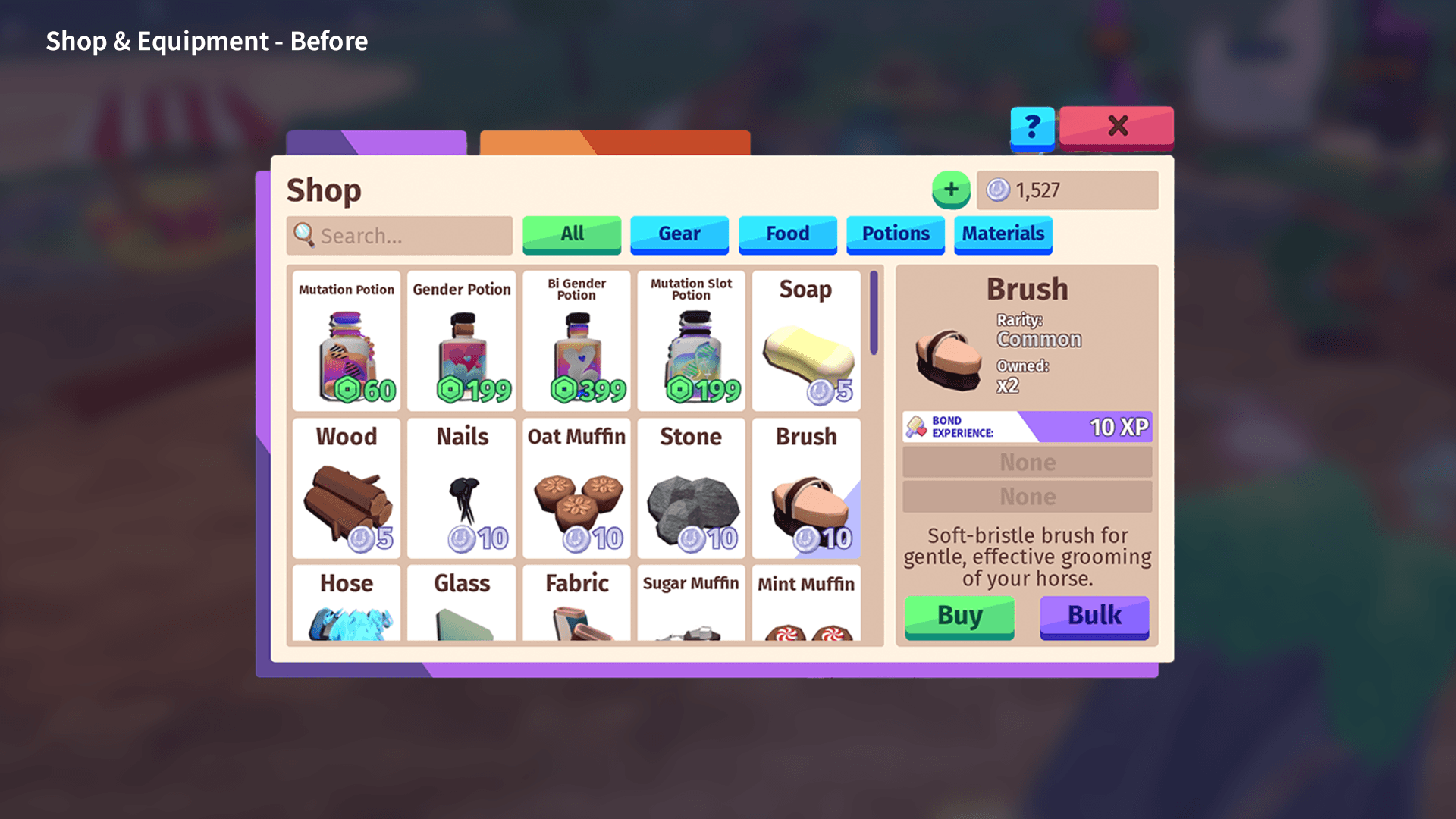
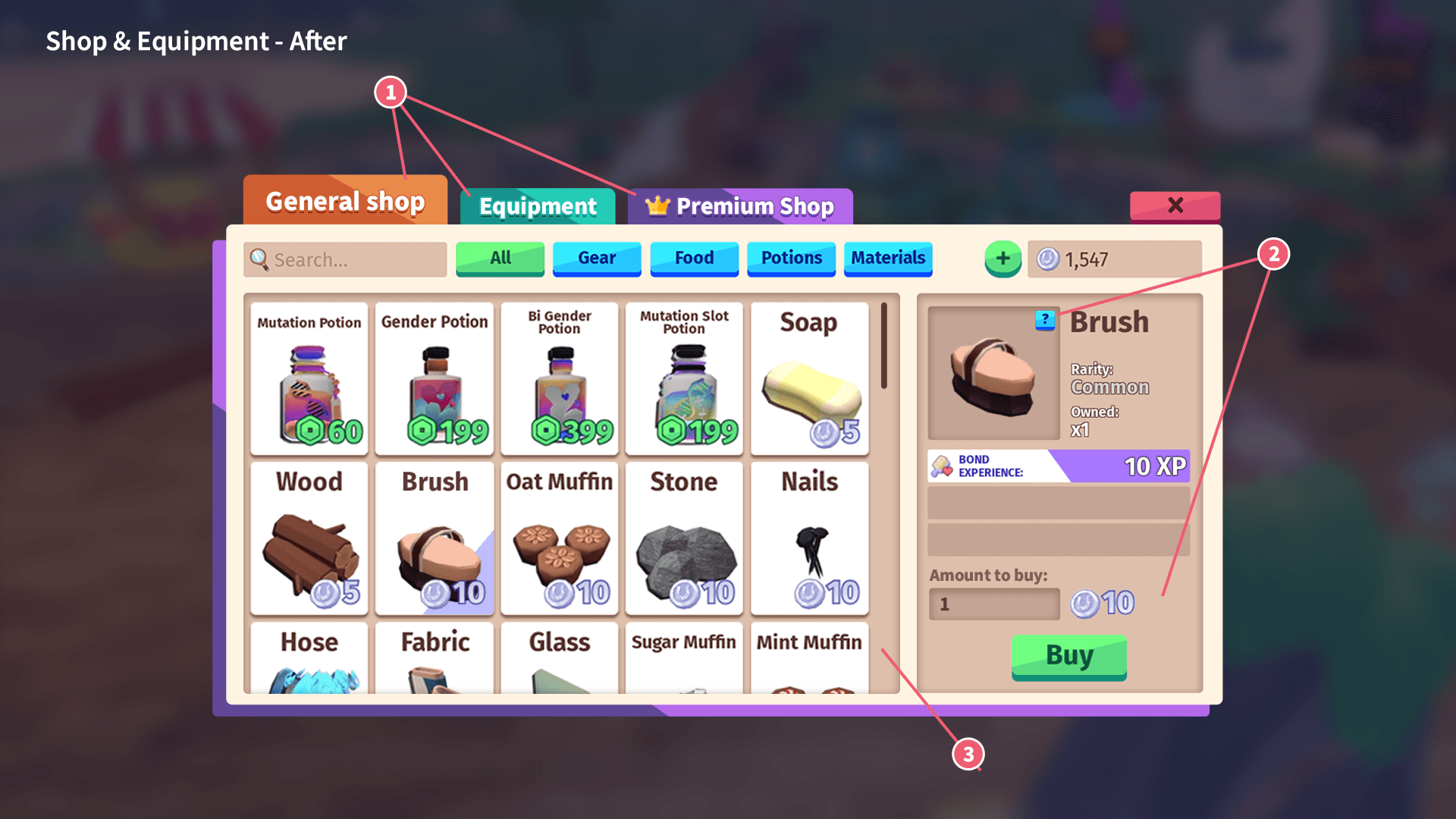
Shop & Equipment
① Navigation & Visual Simplification
Removed unnecessary graphic elements that created visual clutter and distracted the user’s attention
Combined multiple shop types into a single unified store structure
Improved overall navigation flow and reduced confusion
② Item Detail UI & Usability
Reorganized the item detail panel to establish a clear visual hierarchy
Reduced on-screen text by moving additional item info to hover / “?” interaction
Replaced the “Bulk” button with a quantity input field, allowing both single and bulk purchases in a more flexible way
③ Visual Depth & Clarity
Added subtle shadows to containers and item cards
Enhanced depth and separation between elements
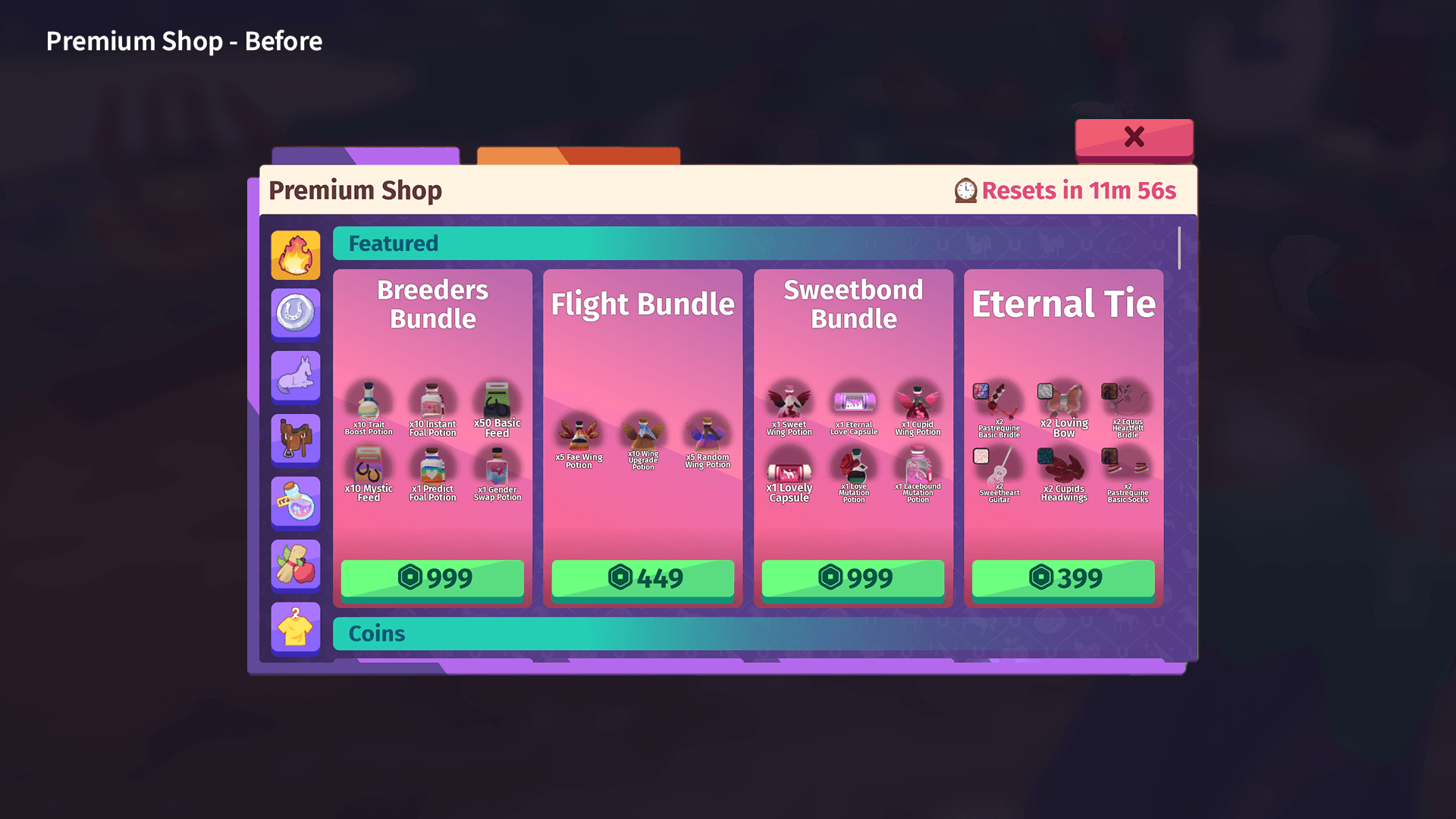
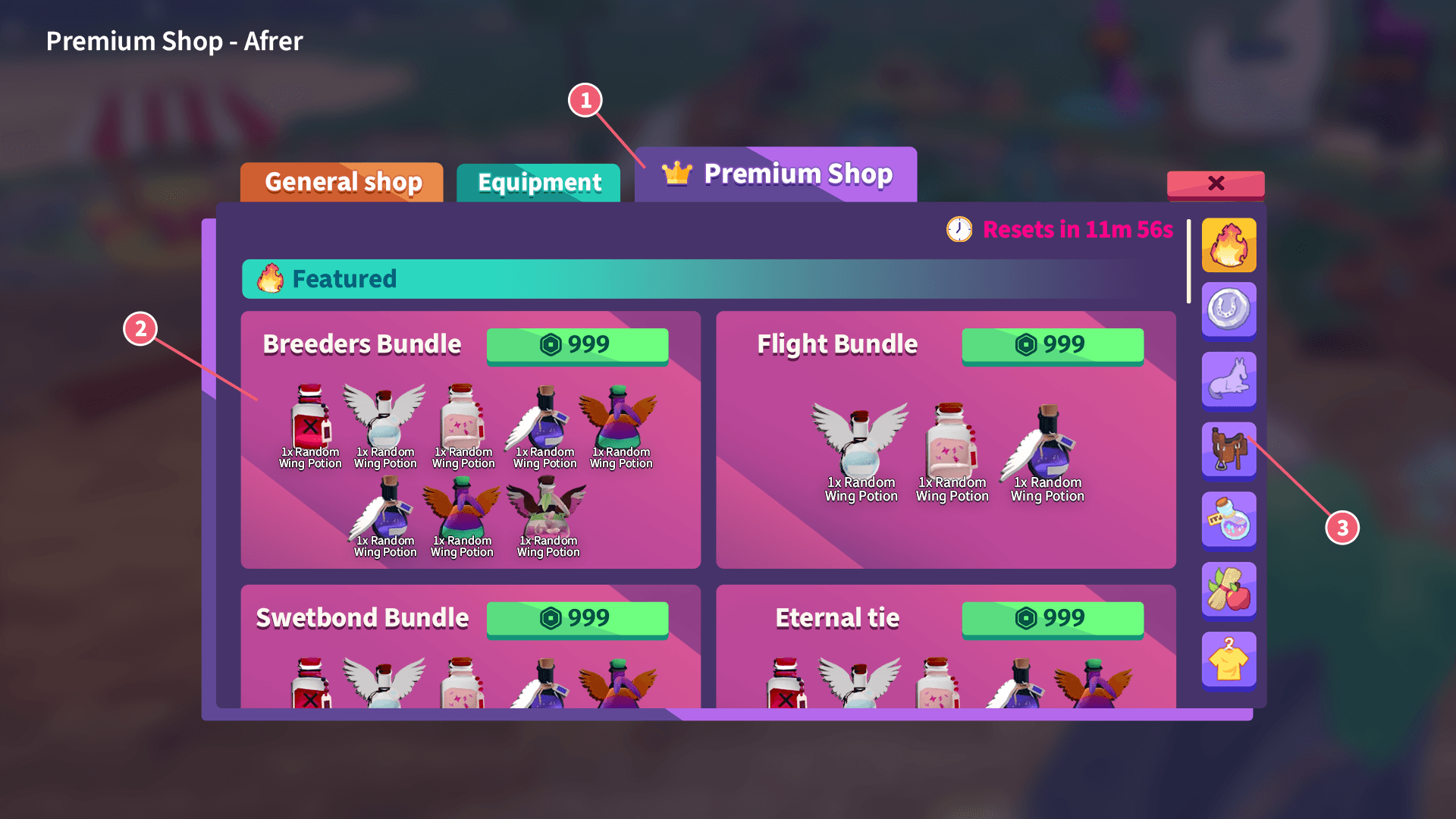
Premium Shop
① Navigation & Visual Simplification
Removed unnecessary graphic elements that created visual clutter and distracted the user’s attention
Combined multiple shop types into a single unified store structure
Crown icon added to highlight the button and convey a premium feel
② Item Detail UI & Usability
Addressed the issue of bundle items being too small to identify or read clearly
Applied a premium gradient background to the bundle cards.
③ Sticky Sidebar
Moved the navigation from the left to the right side to focus users’ attention on the bundle items.
2. Stables Screen Redesign
Problem
The UI lacks visual clarity due to clutter, small images, low contrast, and inconsistent hierarchy, making it difficult to quickly understand and navigate.
Solution
Simplified the layout, enhanced visual hierarchy, improved image size and contrast, and introduced clearer visual indicators for a more intuitive and readable experience.
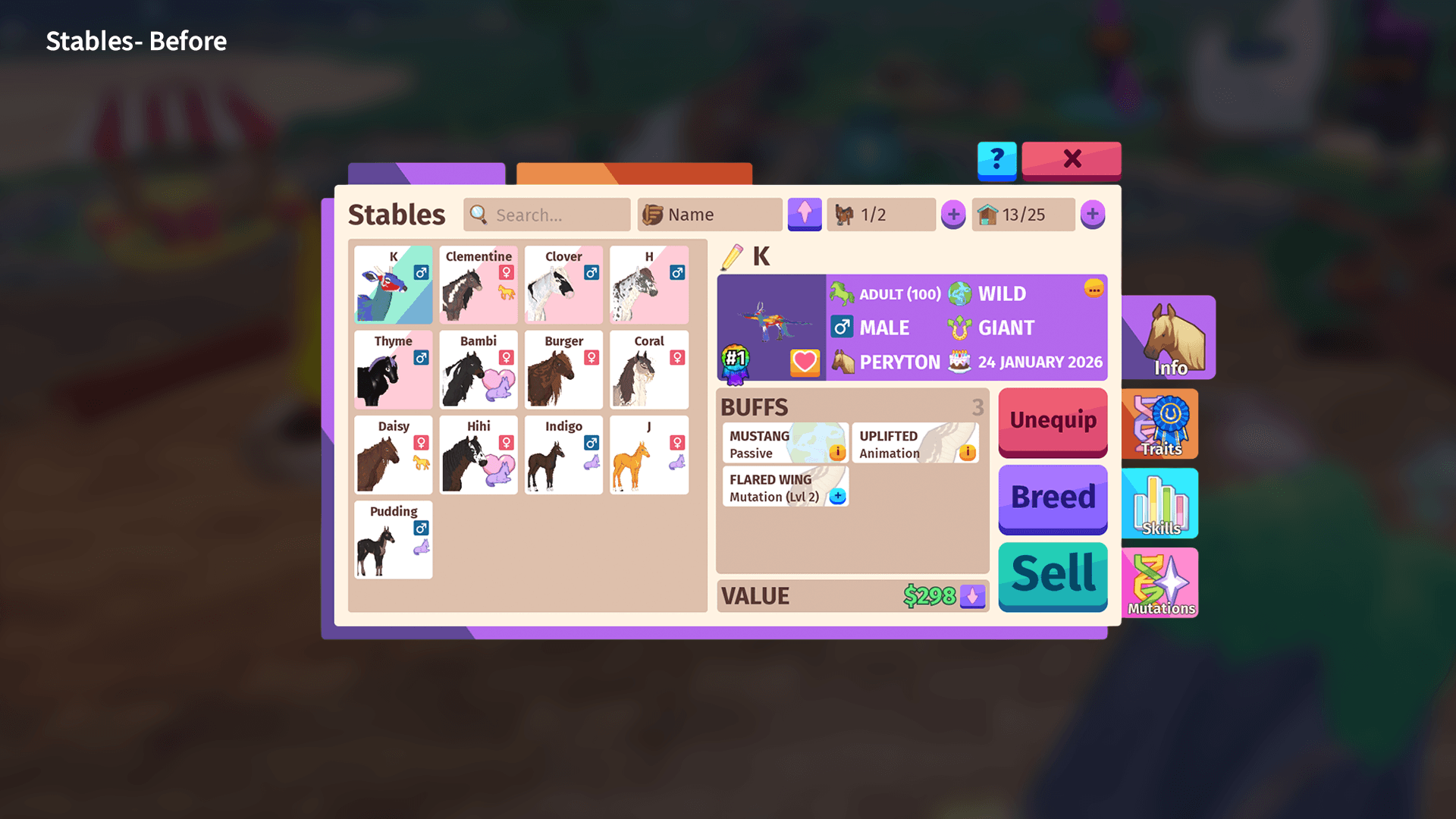
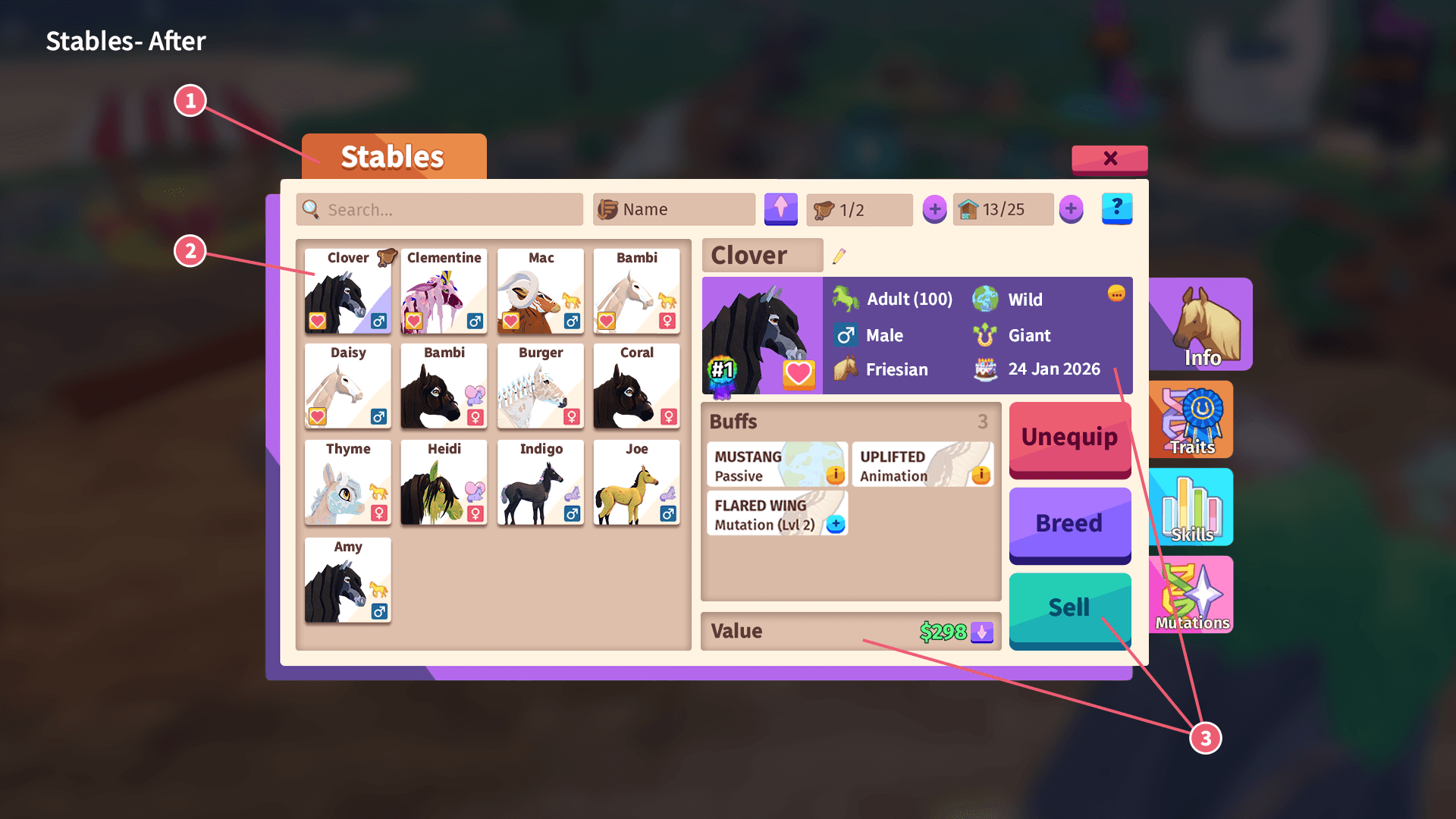
① Title Card
Replaced unnecessary graphic elements with a clear title card displaying “Stables.”
Improves clarity by making it immediately recognizable which card the user is viewing.
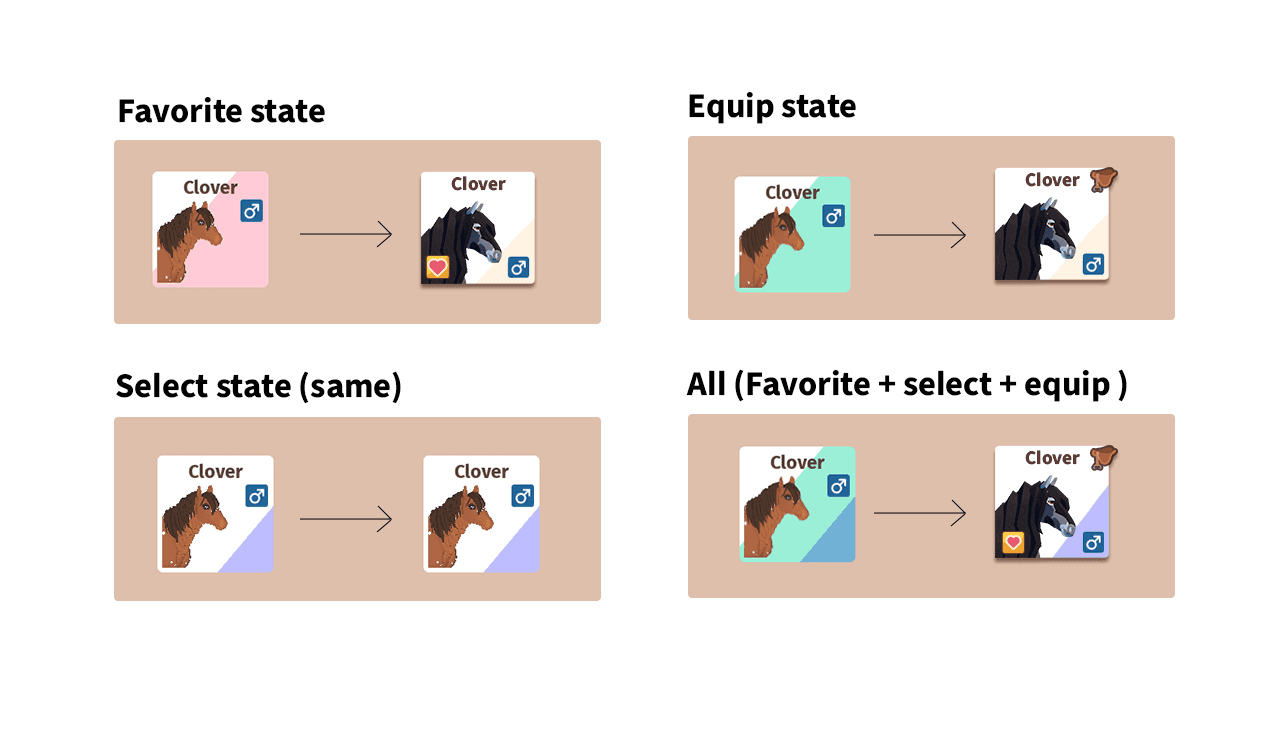
② State Visibility
The Favorite, Equip, and Select states were previously indicated by background colors, which lacked clarity.
Redesigned the state indicators to be more distinct and easily recognizable, improving intuitiveness and visibility.
③ Stats Section & Visual Hierarchy
Enlarged horse images within the stats section to improve readability and overall usability.
Enhance contrast and readability with dark purple color on the stats
Standardized font sizes to establish a clearer visual hierarchy.
Added subtle shadows to cards to create a stronger sense of depth and structure.
Reflection
I believe Horse Life has a lot of potential and could be an even more engaging game. However, the overall UI/UX needs significant improvement, particularly in menu navigation and visual hierarchy.
If I were to work on this game, I would:
Establish a consistent font size system to improve readability across all screens.
Add depth and visual hierarchy to the graphics to make the UI feel more dynamic and less flat.
Redesign menus—not just the stores, but also the Quest/Mission menu—combining related elements on a single screen to make navigation easier and more intuitive.